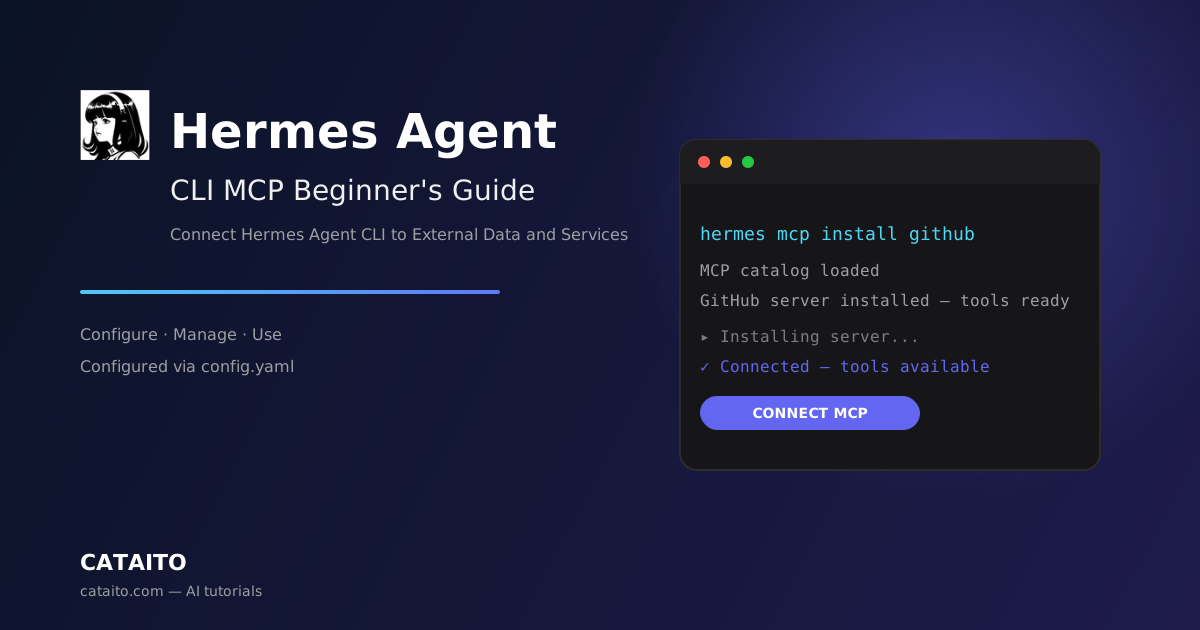

Hermes Agent CLI MCP Beginner's Guide: Connect Hermes Agent CLI to External Data and Services
Learning Objectives
By the end of this tutorial, you will be able to:
- Explain what MCP (Model Context Protocol) is in simple terms
- Find Hermes Agent MCP servers from the official catalog
- Add an MCP server to Hermes Agent CLI with
hermes mcp install/hermes mcp add - Understand the MCP configuration in
~/.hermes/config.yaml - Reload and use MCP tools in a Hermes Agent session
Time needed: 20 minutes
Difficulty: Beginner
Which version is covered? This tutorial covers Hermes Agent CLI — the command-line version of Hermes Agent. MCP servers are configured through the hermes mcp commands and the ~/.hermes/config.yaml file. If you want the desktop app instead, see the Hermes Agent Desktop MCP Guide.
Prerequisites
Before you begin, make sure you have:
| Requirement | Details |
|---|---|
| Hermes Agent installed | hermes --version should print a version number. Not installed? Follow the Hermes Agent CLI Beginner's Guide first. |
| MCP support | MCP ships with the standard Hermes Agent install — no extra step needed. |
| An MCP server to connect | The Hermes Agent catalog ships with a curated set; in this tutorial we connect the **GitHub MCP server**. |
What is MCP?
MCP (Model Context Protocol) is an open standard that lets AI assistants like Hermes Agent connect to external tool servers — GitHub, databases, file systems, browser stacks, internal APIs, and more. Think of it as a universal plug: instead of every tool building its own custom integration, they all speak the same protocol.
An MCP server is a small program that exposes tools, data, or services to the AI assistant. For example:
- A GitHub MCP server lets Hermes Agent read repositories, browse issues, and review pull requests
- A filesystem MCP server lets Hermes Agent read and write files outside the current workspace
- A search MCP server lets Hermes Agent search the web and return live results
When you add an MCP server, Hermes Agent discovers its tools automatically at startup and can call them during a conversation — no copy-pasting data by hand.
How Hermes Agent MCP Works
Hermes Agent stores MCP configuration in ~/.hermes/config.yaml, under a section called mcp_servers. Each server there has one of two transports:
- 1Local stdio — a program Hermes Agent starts locally, communicating over standard input/output. You specify the
commandandargs. - 2Remote HTTP — a server hosted elsewhere, reached over the network. You specify a
url, and optionallyheaders,env, orauth: oauth.
Hermes Agent offers three built-in commands for managing MCP:
hermes mcp— the interactive picker (the default), where you browse catalog entries and install, enable, disable, or uninstall themhermes mcp catalog— a plain-text list of the catalog, useful for scriptinghermes mcp install <name>— install a catalog entry by name in one command
There is also hermes mcp add <name> for adding a server with a preset.
Step 1: List the Official Catalog
Hermes Agent ships a curated catalog of MCP servers that Nous staff has reviewed and merged. They are disabled by default — install only what you actually want.
List every server in the catalog
MCP directory on Cataito: browse /en/mcp — 55+ curated MCP servers from GitHub, databases, file systems, and more:
hermes mcp catalogWhat you should see: A plain-text list of available entries with their status. For example:
n8n          available              Manage and inspect n8n workflows from Hermes
linear       enabled                Linear issue/project management (remote OAuth)
github       installed (disabled)   GitHub repo + PR tools
Status values include available, installed (disabled), and enabled.
Step 2: Install an MCP Server
Option A — Install a catalog server by name (fastest).
To install the GitHub MCP server from the catalog:
hermes mcp install githubWhat you should see: Hermes Agent walks you through any required credentials, then installs the entry.
Option B — Add a server with a preset.
If the server supports an alternate preset variant, you can pick it explicitly:
hermes mcp add github --preset <preset>Option C — The interactive picker.
The hermes mcp command opens an interactive picker. It shows each catalog entry with its current status. Hit Enter on a row to install (and walk through any required credentials), enable, disable, or uninstall it.
Option D — Add a server manually (for servers not in the catalog).
Write the server directly into ~/.hermes/config.yaml under mcp_servers. A local stdio server looks like this:
mcp_servers:
  filesystem:
    command: "npx"
    args: ["-y", "@modelcontextprotocol/server-filesystem", "/home/user/projects"]
A server that needs an API key stores the token in ~/.hermes/.env (Hermes Agent writes non-secret values like base URLs there too):
mcp_servers:
  my-remote:
    url: "https://example.com/mcp"
    headers:
      Authorization: "Bearer your_token"
OAuth servers use the auth key; the MCP client opens a browser on first connection:
mcp_servers:
  linear:
    url: "https://api.linear.app/mcp"
    auth: oauth
For a third-party provider such as Google or GitHub, run hermes auth <provider> first if you haven't authenticated already.
What you should see: After saving the file, the server appears in hermes mcp catalog with status enabled or installed (disabled).
Step 3: Choose Which Tools to Enable
When Hermes Agent installs a catalog entry, it first probes the MCP server to list every tool it exposes and shows a checklist:
Select tools for 'linear' (SPACE toggle, ENTER confirm)
  [x] find_issues       Find issues matching a query
  [x] get_issue         Get a single issue
  [ ] create_issue      Create a new issue
  ...
The pre-checked rows come from:
- 1Your prior selection — if you installed this entry before, the re-install preserves what you had (the manifest's defaults don't override it)
- 2The manifest's `tools.default_enabled` — if the entry declares one (some catalog entries pre-prune mutating or rarely-used tools)
- 3Everything — if neither applies
Submit with Enter. Only the checked tools end up in mcp_servers.<name>.tools.include. If you select everything, no filter is written (cleanest config shape, identical behavior).
If the probe fails (server unreachable, OAuth not yet completed, or backing service not running), the install still succeeds: the manifest's tools.default_enabled is applied directly, or no filter is written. Once the server is reachable, run:
hermes mcp configure <name>to refine which tools are enabled.
Step 4: Start Hermes Agent and Use MCP Tools
Start Hermes Agent in a chat session:
hermes chatThen ask Hermes Agent to use the connected service, for example:
List the files in /home/user/projects and summarize the repo structureWhat you should see: Hermes Agent discovers the MCP server's tools and uses them like any other tool.
Every MCP tool is registered under the name mcp_<server>_<tool>, so a filesystem server's tool would be something like mcp_filesystem_read_file.
Step 5: Reload or Disable a Server
After you edit ~/.hermes/config.yaml, reload MCP so Hermes Agent picks up the changes:
/reload-mcpWhat you should see: Hermes Agent confirms the MCP configuration has been reloaded.
To disable or uninstall a server, use the interactive picker: run hermes mcp, press Enter on the row you want to change, and choose to disable or uninstall. You can also edit ~/.hermes/config.yaml directly and comment the server block out with #, then reload with /reload-mcp.
FAQ
Is MCP support included by default? Yes — MCP ships with the standard Hermes Agent install; no extra step is needed.
Where is the MCP configuration stored? In ~/.hermes/config.yaml, under the mcp_servers section. Credentials go in ~/.hermes/.env.
How are MCP tools named? Each tool is registered as mcp_<server>_<tool>.
Can I install a catalog server in one command? Yes — hermes mcp install <name>.
Do catalog servers work automatically? No. Catalog entries are reviewed, merged into optional-mcps/, and are disabled by default; you must install them.
Can I migrate my MCP setup from Claude Code? Yes. The mcpServers block in ~/.claude.json maps to mcp_servers in Hermes Agent' config.yaml, and hermes import-agent claude-code migrates it (along with skills and instructions) automatically.
How do I reload MCP after editing config? Run the /reload-mcp command in a Hermes Agent session.
Why does Hermes Agent ask me to read the manifest before installing? Installing a catalog entry runs the manifest's commands (git clone, pip install, npm install, etc.) and ultimately the MCP server's own code. Manifests live at optional-mcps/<name>/manifest.yaml on GitHub, and the picker prints the source: URL at install time so you can inspect exactly what an entry connects to or runs.
Next Steps
- Try the filesystem MCP server to read files outside your workspace
- Explore the Hermes Agent official documentation for advanced MCP configuration
- Learn more Hermes Agent CLI commands in the Hermes Agent CLI Beginner's Guide
- Use the Hermes Agent Desktop MCP Guide if you prefer the graphical desktop app