
Codex Photo Art Skills Guide: 5 Design Skills Trending on TikTok & Douyin
What This Tutorial Teaches
Five Codex skills for transforming ordinary photos into artistic works are currently trending on TikTok and Douyin. This tutorial teaches you how to install and use each skill to create stunning photo art — from minimalist editorial abstractions to archival stamp composites.
By the end of this tutorial, you will be able to:
- Install and configure 5 Codex photo design skills
- Transform travel photos into abstract editorial works
- Create zine-style paper collages from everyday scenes
- Apply archival stamp aesthetic to your photos
- Compare the visual styles of each skill for different use cases
Prerequisites
| Requirement | Details |
|---|---|
| Codex CLI or Codex Desktop | Install Codex or Codex Desktop |
| Git | git-scm.com |
| Photos | Your own travel, everyday, or portrait photos |
| Space | ~500 MB for skill repos and images |
Installation
All five skills are installed the same way — clone the repository into your Codex skills directory:
cd $env:USERPROFILE\.codex\skills
git clone https://github.com/LiamGvchi/gc-minimal-zine-poster
git clone https://github.com/Evianis/travel-photo-abstraction
git clone https://github.com/ZzzLc0405/photo-abstract-editorial
git clone https://github.com/Zeejay0/gathered-scenes-zine-skill
git clone https://github.com/Dlcccc71913/skill-make-photo-stamp-archive
Skill 1: GC Minimal Zine Poster
Style: Minimalist editorial zine — clean, sparse, poetic
This skill transforms your photos into minimal editorial zine pages. It works best with photos that have strong compositional elements — a lone figure, a dramatic skyline, or a quiet street scene.
How to use:
$gc-minimal-zine-posterThen upload your photo and describe the mood you want. The skill will generate a sparse, poetic editorial layout with your photo as the anchor.
Best for: Travel photography, street photography, minimalist compositions
Example output: The skill produces a zine-style page with the original photo, minimal text overlays, and generous white space.
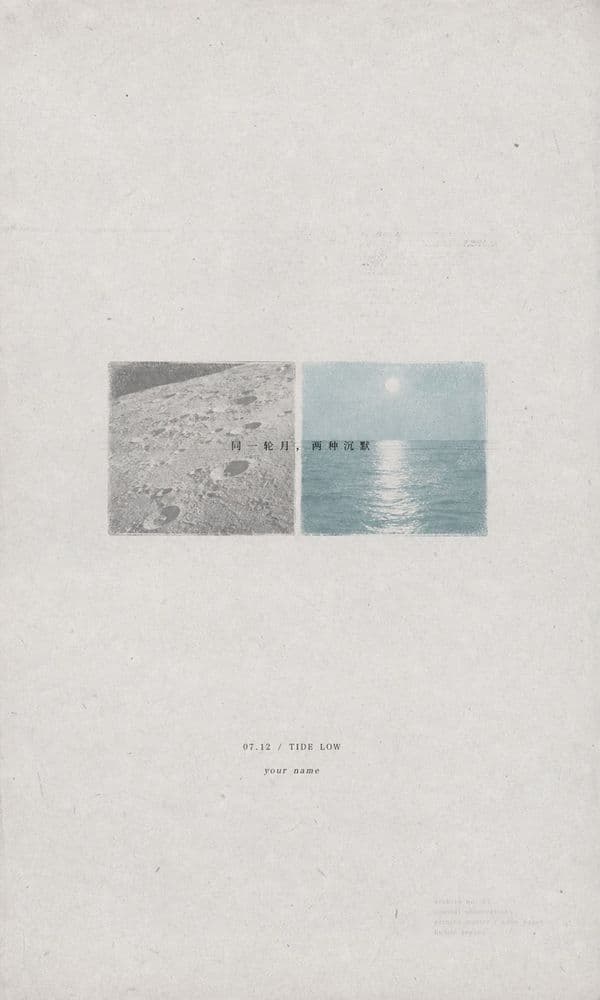
Author:LiamGvchi
Source:LiamGvchi/gc-minimal-zine-poster
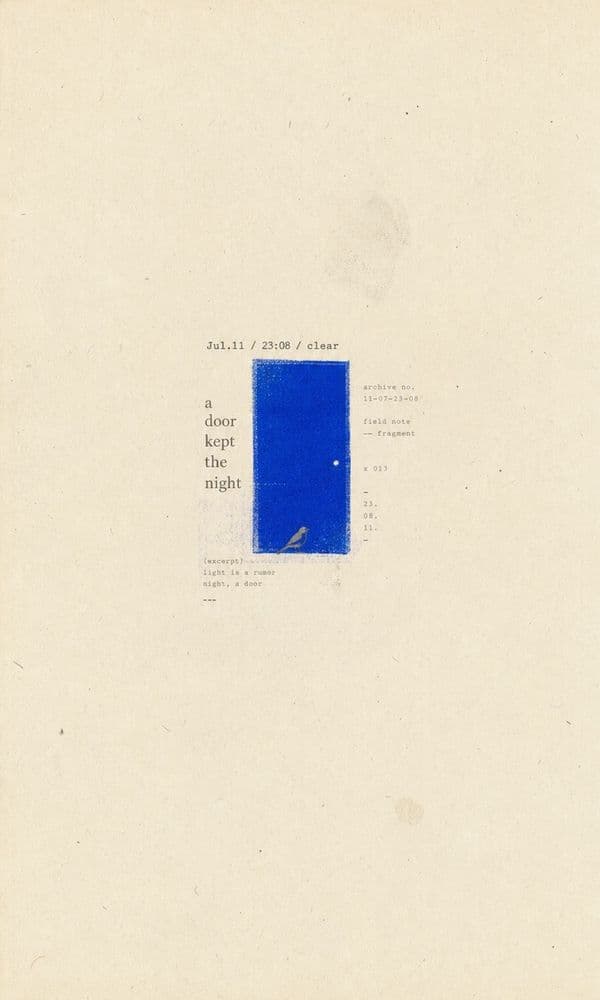
Author:LiamGvchi
Source:LiamGvchi/gc-minimal-zine-poster
Skill 2: Travel Photo Abstraction
Style: Sparse editorial abstraction — shapes, colors, and rhythm
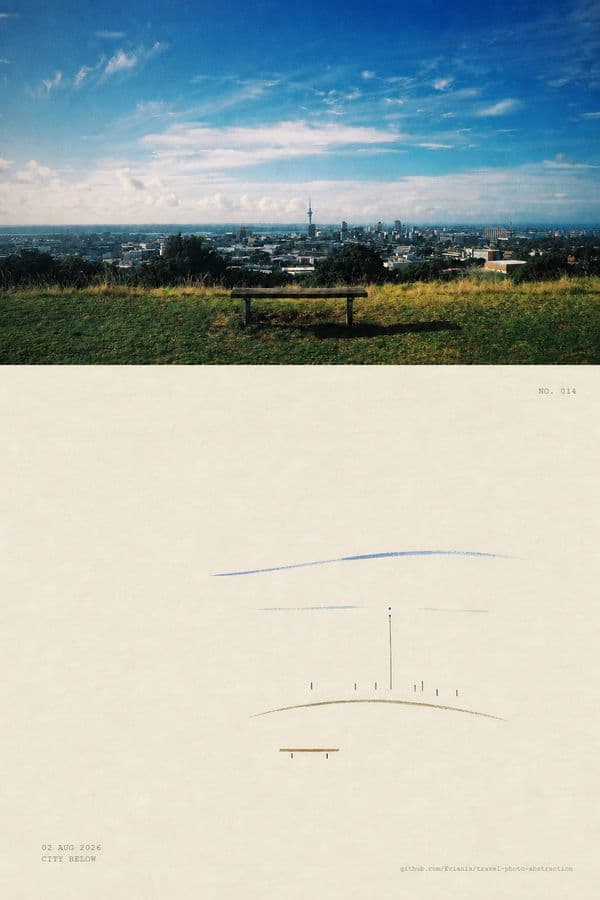
This skill analyzes the visual evidence in your photo — shapes, colors, proportions, spatial rhythm — and maps them to minimal abstract marks. It does not redraw or filter; it distills.
How to use:
$travel-photo-abstractionUpload a travel or everyday photo. The skill first inventories the visual evidence, then generates a sparse abstraction that preserves the original's emotional geography.
Best for: Converting complex scenes into minimal abstract art, creating visual systems from a single photograph
Example output: The original photo's shapes and colors are transformed into clean geometric marks — a bridge becomes a line, a sky becomes a color field.
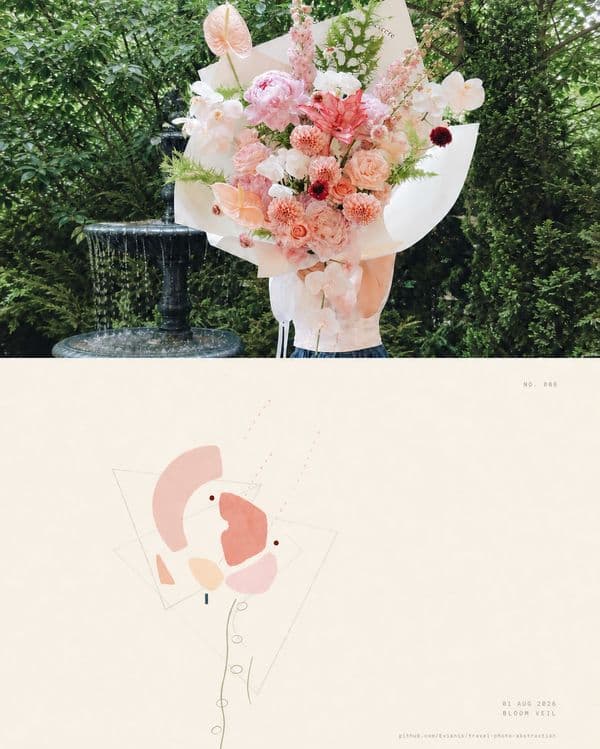
Author:Evianis
Source:Evianis/travel-photo-abstraction
Author:Evianis
Source:Evianis/travel-photo-abstraction
Skill 3: Photo Abstract Editorial
Style: Vertical editorial — original photo + abstract memory panel + poetic title
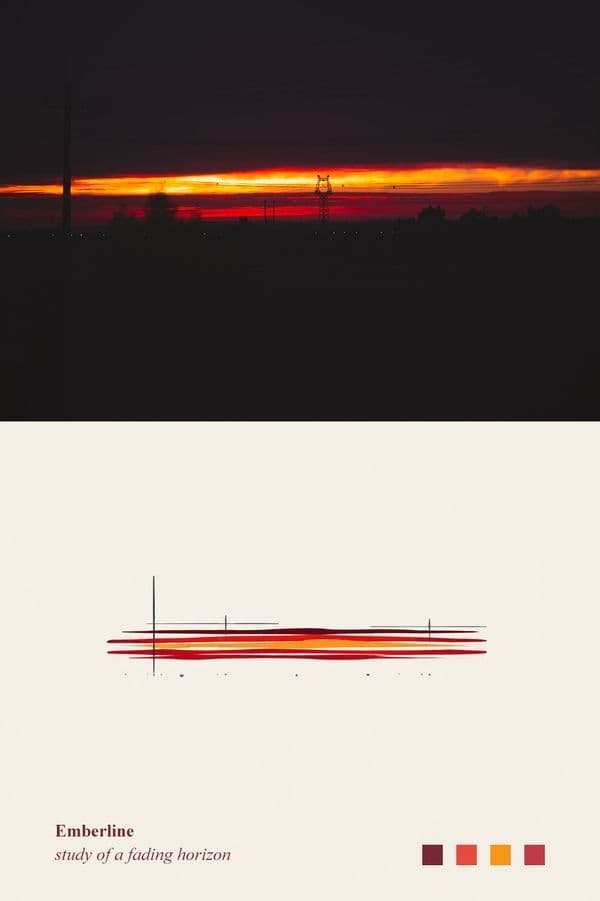
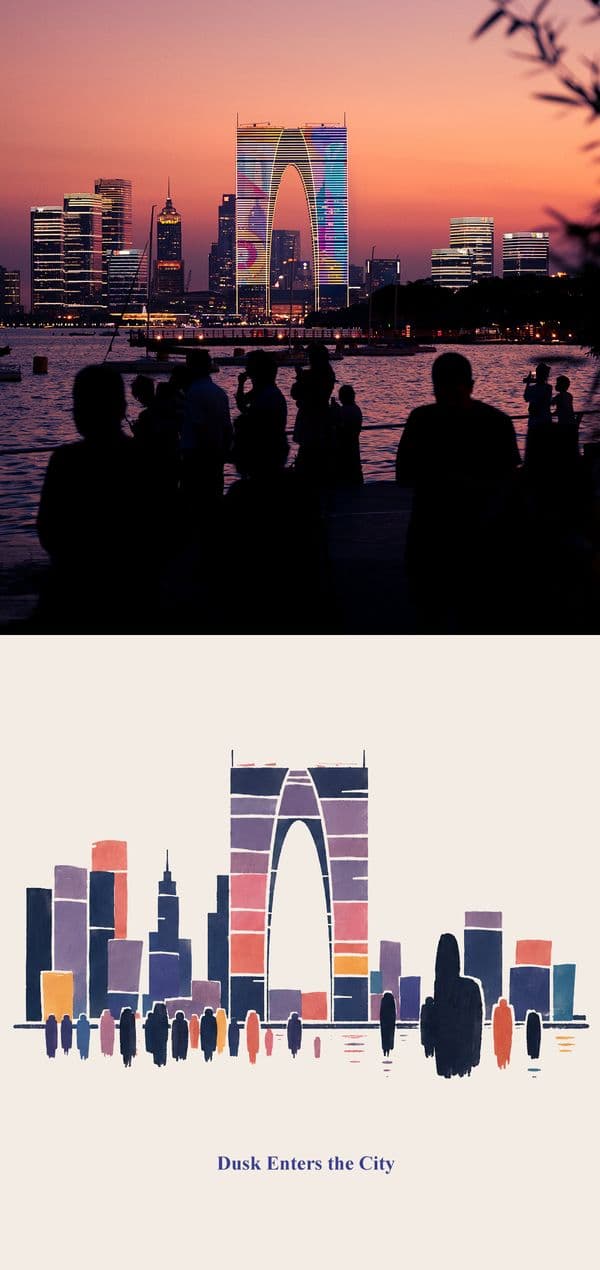
This skill by @AM creates a distinctive vertical editorial format: the original photo area is preserved faithfully, while an abstract memory panel sits beside it with a poetic English title.
How to use:
$photo-abstract-editorialUpload your photo. The skill will generate a vertical editorial with the photo on one side and an abstract interpretation on the other.
Best for: Personal photo projects, art poster creation, travel photography
Example output: A vertical composition with the original photo, abstract color study, and poetic title — ready to print as a poster.
Author:ZzzLc0405
Source:ZzzLc0405/photo-abstract-editorial
Author:ZzzLc0405
Source:ZzzLc0405/photo-abstract-editorial
Skill 4: Gathered Scenes Zine (拾景 Zine)
Style: Dual-path — image distillation or real-scene collage
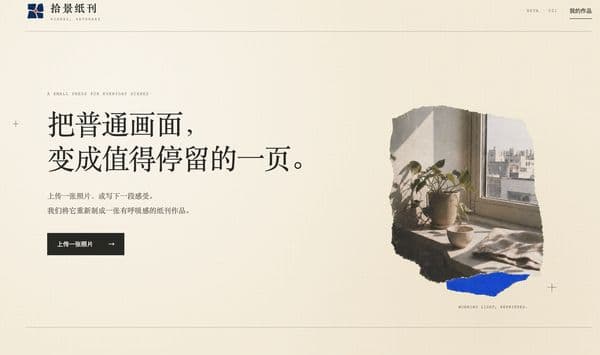
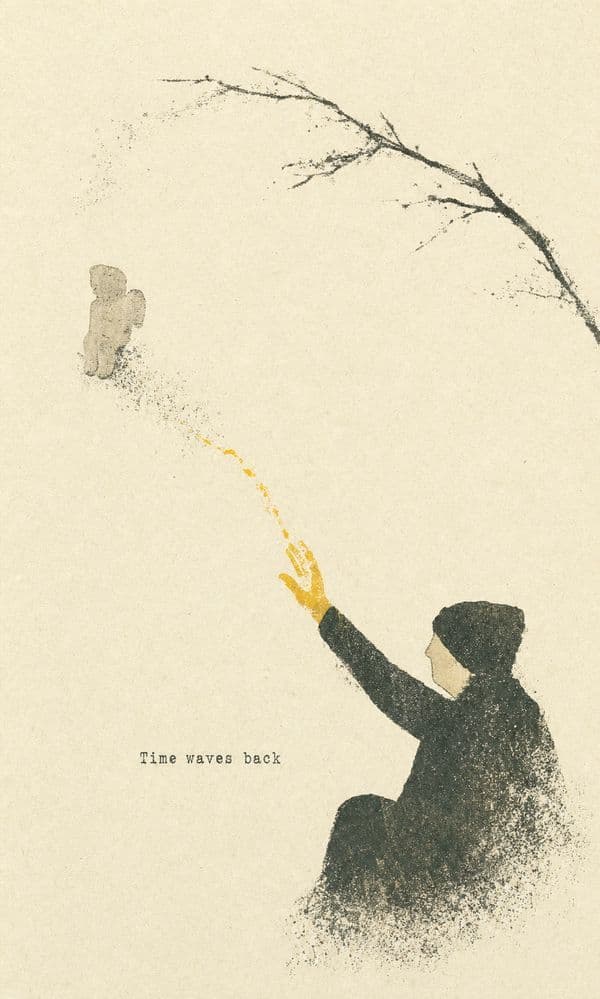
This skill offers two creative paths. Image distillation transforms your photo into a minimal paper work, preserving its compositional relationships and emotional resonance. Real-scene collage preserves the real scene and extends it with illustration.
How to use:
$gathered-scenes-zine-skillChoose your path: "distill" for a minimal paper abstraction, or "collage" for a real-scene extension. The skill follows five visual principles to guide every decision.
Best for: Everyday scenes that deserve more attention, creating editorial page series
Example output: The distillation path creates a serene paper work with simplified forms. The collage path adds illustrated elements that extend the story.
Author:Zeejay0(拾景 zine)
Source:Zeejay0/gathered-scenes-zine-skill
Author:Zeejay0(拾景 zine)
Source:Zeejay0/gathered-scenes-zine-skill
Skill 5: Photo Stamp Archive
Style: Restrained archival composite — warm-white paper + custom hand-pressed seal
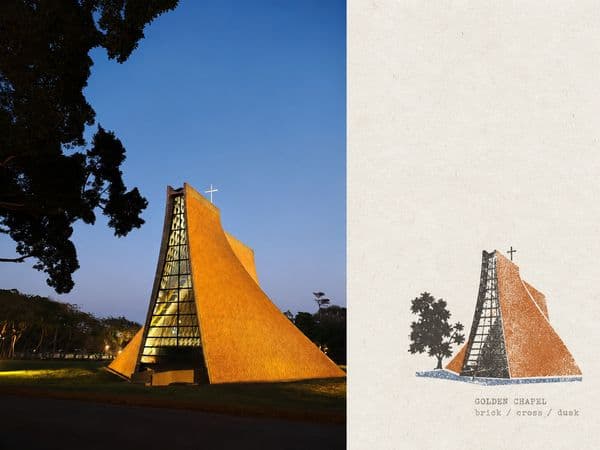
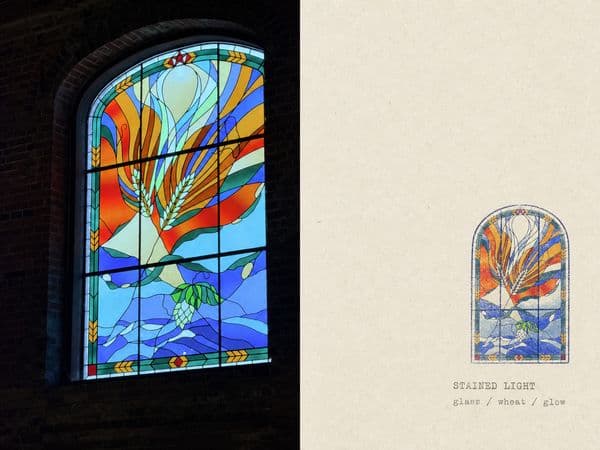
This skill transforms your photos into archival composites: a faithfully preserved photograph joined directly to a warm-white paper panel with a custom hand-pressed seal. Choose from circular, square, arched, panoramic, or irregular seals.
How to use:
$photo-stamp-archiveUpload your photo. The skill will create a direct-splice archival artwork with a seal that matches your subject. You can iteratively adjust the seal shape, size, position, ink color, and paper texture.
Best for: Creating archival-style artwork, preserving memories with a vintage feel
Example output: A clean, restrained composite with the photo and a warm-white paper panel, stamped with a custom seal.
Author:Dlcccc71913
Source:Dlcccc71913/skill-make-photo-stamp-archive
Author:Dlcccc71913
Source:Dlcccc71913/skill-make-photo-stamp-archive
Comparing the Styles
| Skill | Aesthetic | Best Use | Output Format |
|---|---|---|---|
| GC Minimal Zine Poster | Minimalist, zine editorial | Travel, street photography | Zine page |
| Travel Photo Abstraction | Sparse, geometric abstraction | Complex scenes, visual systems | Abstract marks |
| Photo Abstract Editorial | Vertical editorial, poetic | Photo posters, art prints | Vertical composition |
| Gathered Scenes Zine | Paper texture, dual-path | Everyday scenes, series | Paper work or collage |
| Photo Stamp Archive | Archival, warm paper + seal | Vintage feel, memories | Archival composite |
FAQ
| Question | Answer |
|---|---|
| Do I need a GPU? | No — these skills run on Codex's cloud infrastructure. |
| Are these skills free? | Yes — all five are open source or free to use. |
| Can I use photos from my phone? | Yes — upload any photo to Codex through the chat interface. |
| Can I combine multiple skills? | Yes — you can apply different skills to different photos in the same project. |
| Are these skills trending on TikTok? | Yes — creators are using these styles to transform ordinary photos into viral art content. |
Next Steps
Ready to dive deeper?
- View Skill details on CATAITO — Compare all 5 skills side by side
查看各 Skill 详情
- GC Minimal Zine Poster — 查看 Skill 详情
- Travel Photo Abstraction — 查看 Skill 详情
- Photo Abstract Editorial — 查看 Skill 详情
- Gathered Scenes Zine — 查看 Skill 详情
- Photo Stamp Archive — 查看 Skill 详情